


Ecommerce Checkout Load Testing for Black Friday Readiness
Level Up Today!
Book a DemoYour store may handle everyday traffic without a problem, yet struggle when Black Friday demand arrives in concentrated waves. A flash sale, email campaign, or social media mention can send thousands of shoppers to checkout within minutes. If payment requests time out or inventory updates fall behind, customers may abandon carts or submit orders more than once. Ecommerce checkout load testing for black friday readiness gives your team a controlled way to find these risks early. This guide covers the checkout journeys worth testing, the tools and data you need, and the technical and business metrics that show whether your store is ready.
Key Takeaways
- Test every revenue-critical step: Include cart updates, promotions, shipping, payment authorization, inventory, order confirmation, fulfillment, subscriptions, and third-party services.
- Model realistic peak demand: Simulate expected traffic, sudden surges, sustained activity, multiple devices, regions, stores, currencies, and payment methods using clear pass or fail thresholds.
- Prepare for failure conditions: Verify idempotency, webhook handling, retries, queues, monitoring, recovery plans, and customer support procedures to prevent duplicate charges, overselling, and delayed orders.
What Is Ecommerce Checkout Load Testing for Black Friday?
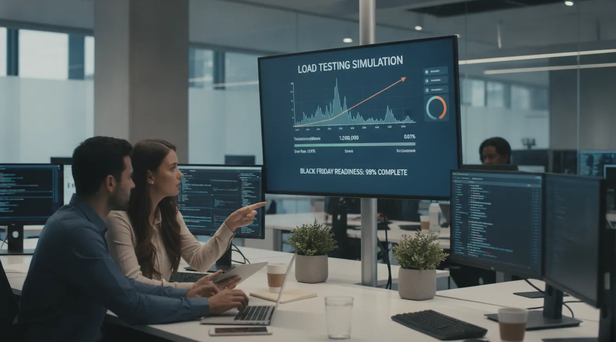
Ecommerce checkout load testing measures how well your store handles a high volume of shoppers completing purchases at the same time. It recreates realistic activity, including product views, cart updates, discount codes, shipping calculations, payment attempts, and order confirmations. The goal is to find performance limits before a major sales event puts real customers, revenue, and fulfillment teams under pressure.
Black Friday traffic can expose problems that remain hidden during normal operations. Your storefront may load quickly when visitors browse products, yet slow down when thousands of shoppers submit orders, request shipping rates, or authorize payments at once. Load testing helps your team identify bottlenecks, set realistic capacity limits, and confirm that checkout remains reliable under expected demand. TestGrid’s ecommerce testing guidance recommends checking the complete purchase experience instead of testing only the homepage or product catalog.
A useful test should reflect your actual business model and technology stack. Include the storefront, checkout, payment provider, inventory system, tax and shipping services, fulfillment workflows, and any marketing or subscription tools connected to an order. Platforms such as Checkout Champ can centralize many ecommerce operations, but every connected service still needs to be included in your performance plan.
How Load Testing Differs From Functional, Stress, Spike, and Soak Testing
These testing types answer different questions, so one cannot replace the others:
- Functional testing asks whether a feature works correctly. It verifies, for example, that a promo code applies the right discount or that a customer receives an order confirmation.
- Load testing asks whether the system works correctly with the expected number of simultaneous shoppers and transactions.
- Stress testing pushes the store beyond its expected capacity to identify its breaking point and observe how it fails.
- Spike testing introduces a sudden traffic surge, such as a flash sale announcement or limited product release.
- Soak testing keeps the store under sustained traffic for an extended period to reveal memory leaks, connection issues, or resource exhaustion.
A Black Friday plan should use several of these methods. Start with functional checks, then run expected-load tests, higher-capacity tests, sudden spikes, and longer soak tests. Test Triangle’s load testing guide explains the distinctions between these approaches and the conditions each one evaluates.
How Checkout Capacity Differs From Browsing Capacity
Browsing capacity describes how many visitors your store can serve while they view pages, search for products, or read content. These actions may rely heavily on cached pages and content delivery networks, making them relatively lightweight compared with checkout activity.
Checkout capacity is usually lower because each transaction triggers more work. The system may need to validate a cart, reserve inventory, calculate tax and shipping, apply promotions, create a customer record, authorize payment, and generate an order. Several of these actions may also depend on external services, each with its own response times and usage limits.
For that reason, do not use page views alone to estimate Black Friday readiness. Measure how many complete checkout transactions your system can process while meeting your response-time and error-rate targets. As TestGrid explains, a store can support heavy browsing traffic while still struggling when many customers attempt to pay at once.
How to Set Capacity Targets, Service Levels, and Pass/Fail Criteria
Start with a capacity model based on historical traffic, campaign forecasts, product availability, and planned promotions. Estimate peak concurrent users, carts created per minute, completed orders per minute, and the share of shoppers who reach payment. If you sell through multiple stores, regions, or currencies, create separate estimates for each path instead of relying on one blended number.
Next, define service levels that make the results easy to interpret. These may include:
- A target response time for key checkout steps
- A maximum acceptable percentage of failed requests
- A minimum payment authorization and order completion rate
- A maximum queue depth or checkout wait time
- A recovery-time target after a service interruption
- A maximum rate of duplicate orders, charges, or webhooks
Set pass or fail criteria before running the test. Otherwise, teams may overlook serious issues because the store technically remained online. Run a final simulation at 150% of projected peak traffic when possible, as recommended by Test Triangle’s Black Friday readiness guidance. This creates a measurable safety margin without treating unlimited capacity as the goal.
Which Checkout Journeys and Business Outcomes Matter Most?
Test the journeys that generate revenue and create operational risk. At a minimum, include guest checkout, returning-customer checkout, cart updates, promotional pricing, shipping selection, tax calculation, payment authorization, and order confirmation. If you offer subscriptions, test the initial purchase separately from recurring billing and post-purchase workflows. Checkout Champ’s subscription billing tools can support recurring orders, but those billing events should still be included in your broader readiness checks.
Connect technical results to business outcomes. A fast product page does not matter if customers cannot complete payment, and a successful authorization does not help if the order fails to reach fulfillment. Track completed orders, conversion rate, cart abandonment, payment declines, inventory accuracy, duplicate charges, and support contacts alongside response times and error rates.
Also test different devices, regions, payment methods, and storefronts. A checkout may perform well for desktop card payments while failing for mobile shoppers using a digital wallet or localized currency. By testing the complete path from cart to confirmation, you can protect revenue and give fulfillment and customer service teams reliable order data.
What Can Fail Without Black Friday Checkout Load Testing?
Black Friday traffic tests far more than a storefront’s ability to display product pages. It puts pressure on every system involved in converting a visit into a completed order, including the cart, checkout, payment gateway, inventory service, tax and shipping tools, fulfillment platform, and customer support systems.
A store can perform well during ordinary traffic and still fail when thousands of shoppers attempt to check out at once. Pages may slow down, payment requests may time out, inventory counts may become inaccurate, and order data may arrive late or multiple times. These problems often occur together, making them difficult to diagnose while customers are waiting to complete their purchases.
Checkout load testing gives your team a controlled way to find these weaknesses before a major promotion goes live. It also helps establish measurable targets for response times, error rates, order completion, and recovery. TestGrid’s ecommerce testing guidance identifies overloaded servers, databases, APIs, and third-party services as common causes of peak-period slowdowns and crashes.
The goal is not simply to keep the website online. Your checkout must continue processing accurate orders, charging customers once, reserving available inventory, and passing complete information to fulfillment. Testing the full transaction flow reveals whether your systems can handle demand without creating expensive manual work after the sale.
Slow Pages, Timeouts, and Failed Orders
A slow checkout creates friction when a shopper is most ready to buy. If the cart takes too long to update, the shipping step fails to load, or the payment page times out, the customer may refresh the page, leave the site, or try to submit the order again. Each action adds more requests to systems that may already be under strain.
The risk extends beyond the storefront. Checkout may rely on separate services for tax, shipping rates, fraud screening, inventory, and payment authorization. If one service responds slowly, the entire order flow can stall. TestingXperts’ performance testing guidance notes that downtime can lead to lost sales, poor user experiences, and customers moving to competitors.
Test complete checkout journeys with realistic traffic, then measure response times at each important step. Homepage speed alone will not show whether customers can add an item, apply a promotion, select shipping, pay, and receive an order confirmation.
Payment Declines, Duplicate Charges, and Stuck Transactions
Payment failures can be particularly confusing because shoppers may not know whether an order succeeded. A gateway timeout might prevent the confirmation page from loading even though the payment was authorized. The customer may submit the form again, resulting in a duplicate charge or a second order.
Your checkout needs clear transaction states and idempotent payment handling. In practical terms, repeated requests should not create repeated charges or duplicate orders. Test approved payments, legitimate declines, gateway timeouts, retries, delayed webhooks, and interrupted sessions. Then confirm that your order system can reconcile the final payment status after the shopper leaves the page.
Review these scenarios across one-time purchases and recurring billing. Centralized subscription billing operations can give teams a clearer view of payment activity across different purchase types, but each integration still needs testing under realistic peak traffic.
Inventory Contention, Overselling, and Cart Abandonment
When many shoppers target the same product, the inventory system must handle competing requests accurately. A weak reservation process may allow more customers to complete checkout than the available stock supports. An overly aggressive reservation process can create a different problem by holding products in abandoned carts and preventing other shoppers from buying them.
Promotions add more points of failure. Discount rules, product bundles, minimum-order thresholds, tax calculations, and shipping charges must all return the correct result under pressure. A calculation that works for one customer may produce errors when thousands of carts update at the same time.
Use realistic stock levels and concurrent cart activity in your tests, rather than sending repeated visits to a product page. Track oversells, incorrect inventory counts, failed reservations, promotion errors, and carts abandoned after a checkout failure. Testing product and SKU management workflows can also help confirm that inventory data stays consistent across products, variants, and sales channels.
How Failures Spread Across Fulfillment and Customer Support
A checkout problem rarely ends at the payment page. Delayed orders may leave fulfillment teams without accurate instructions, while duplicate orders can create extra shipments, refunds, and warehouse work. If inventory updates arrive late, other storefronts or marketplaces may continue offering products that are no longer available.
Customer support can become the next pressure point. Agents may receive a sudden increase in questions about missing confirmations, payment holds, canceled orders, incorrect discounts, and delivery dates. Without reliable order and payment data, resolving these issues can take much longer.
Test the handoffs between checkout, order management, fulfillment, and support systems. Confirm that each system receives the right order status, customer details, payment result, shipping information, and inventory update. Fulfillment automation can coordinate post-purchase workflows, but those workflows still need testing under the same conditions as the checkout itself.
Lost Revenue, Customer Trust, and Recovery Costs
Every failed checkout represents more than one missed transaction. Shoppers may lose confidence in the store, share a poor experience, or switch to a competitor. Conversion losses can begin before an obvious error appears. Slow pages, delayed cart updates, and unclear payment feedback may cause customers to abandon their purchases even when the website remains technically available.
Performance research has linked page delays with lower conversion rates. One analysis cited by Test Triangle reports that a one-second delay in page load time may reduce conversions by 7%, making ecommerce performance testing a revenue concern as well as a technical exercise.
Recovery can involve refunds, manual order reviews, customer credits, emergency infrastructure changes, and extended support coverage. Before peak traffic arrives, define which failures are acceptable, how the team will detect them, and when to pause a promotion or switch to a fallback process. Clear thresholds give your team a practical response plan instead of leaving each decision to an emergency meeting.
Which Checkout Scenarios Should You Load Test?
Black Friday shoppers rarely follow one predictable path to purchase. Some check out as guests from mobile devices, while others sign in, apply a promotion, change their shipping method, or switch payment options at the last step. A reliable load test should reflect these differences instead of sending identical requests through one checkout flow.
Start by mapping every step that can affect an order: cart creation, inventory reservation, tax calculation, shipping rates, payment authorization, fraud checks, order creation, confirmation emails, and fulfillment handoffs. Then assign realistic traffic levels to each path. Checkout capacity is not simply the number of visitors your storefront can handle. It is the number of complete, accurate orders your systems can process under peak demand.
Include common journeys and high-risk edge cases. Test successful purchases alongside declined cards, expired sessions, payment retries, out-of-stock products, promo-code errors, slow third-party responses, and interrupted payments. These scenarios can reveal failures that a basic page-load test will miss. TestGrid recommends testing the complete path from cart and payment through confirmation and shipping in its Black Friday ecommerce testing guidance.
If your business sells subscriptions, operates multiple storefronts, or accepts international payments, include those paths in the same capacity plan. The scenarios below cover the checkout activity most likely to affect revenue, customer experience, and order accuracy during a major sales event.
Guest, Returning-Customer, and Account Checkouts
Test guest checkout, returning-customer checkout, and account creation as separate journeys. These paths may use different validation rules, database queries, session logic, and authentication services. A guest may enter an email address and shipping details for the first time, while a returning customer may load saved addresses, stored payment methods, loyalty discounts, or previous order data.
Include customers who sign in after adding items to a cart, move between devices, reset a password, or return with an expired session. Confirm that cart contents, discounts, shipping details, and payment information remain accurate when account status changes during checkout.
Measure completion time, error rates, and conversion for each customer type. A fast guest path does not make up for a failing account checkout if returning customers represent a large share of sales. Segment results by device and browser as well, since mobile shoppers may experience different performance issues than desktop users.
Cart Updates, Promotions, Tax, Shipping, and Inventory Reservations
A checkout load test should cover more than the final payment button. Simulate shoppers adding and removing products, changing quantities, applying and removing promo codes, updating addresses, and switching shipping methods. Each action can trigger requests to pricing, tax, shipping, inventory, and promotion services.
Test promotions with realistic rules, including minimum order values, product exclusions, usage limits, free shipping thresholds, and customer-specific offers. Confirm that prices remain consistent when many shoppers apply the same promotion. Tax and shipping calculations should also stay accurate across locations, delivery methods, and cart values.
Inventory reservations require special attention during limited-stock promotions. Simulate many customers attempting to purchase the same product simultaneously. Verify that the system prevents overselling, releases abandoned reservations, and displays accurate availability. Include cart expiration and payment timeout scenarios so reserved inventory returns to stock when an order does not complete.
Payment Authorizations, Declines, Retries, and Idempotency
Payment testing should represent successful and unsuccessful transactions. Use test payment methods to simulate approvals, declines, insufficient funds, expired cards, fraud-review responses, gateway timeouts, and interrupted connections. Confirm that customers receive clear messages and can retry without losing their cart or creating a second order.
Test payment-method changes during checkout, such as switching from a card to a digital wallet or updating billing details after a decline. Slow network conditions matter too. When a page appears unresponsive, a shopper may click the purchase button more than once.
Idempotency helps prevent duplicate charges and duplicate orders when the same request is submitted repeatedly. Send duplicate payment and order requests with the same idempotency key, then verify that the platform processes the transaction once and returns a consistent result for later requests. Payment providers such as Stripe offer testing documentation that explains how to simulate payment outcomes without using live card data.
3DS, Digital Wallets, Webhooks, and Payment Reconciliation
Three-D Secure, digital wallets, and payment webhooks add more connections between the storefront, payment provider, bank, and order system. Test each route from authorization through the final order status. Include successful authentication, failed authentication, abandoned challenges, expired sessions, and customers returning to checkout after a redirect.
For digital wallets, test approved and canceled payments. Make sure shipping details, billing information, discounts, and order totals remain consistent when the wallet supplies customer data. Also test browsers and devices that do not support a particular wallet, so customers receive a clear fallback option.
Webhooks need their own test cases. Send delayed, duplicated, out-of-order, and failed events to confirm that your system handles each one safely. Reconciliation testing should compare gateway records with internal orders, refunds, and captured payments. Use sandbox environments and mocked integrations where possible. Payment load testing guidance recommends this approach to prevent test activity from affecting real transactions.
Subscription Billing, Recurring Payments, and Post-Purchase Flows
If you sell subscriptions, test more than the initial checkout. Simulate new subscriptions, plan changes, trial conversions, failed recurring payments, retries, cancellations, pauses, refunds, and upgrades. A successful first payment does not guarantee that the billing system can process a high volume of renewals or payment updates at the same time.
Include customers who purchase a subscription with a one-time product, apply a discount, or change their billing address. Verify that the correct plan, price, renewal date, tax, and delivery schedule appear in the confirmation and customer account.
Post-purchase workflows need capacity testing as well. Check order confirmation emails, invoices, fulfillment requests, customer notifications, subscription events, and reporting updates. Confirm that a payment failure triggers the correct retry and communication sequence without creating duplicate orders. Checkout Champ’s subscription billing tools can centralize recurring payment events, but those workflows still require realistic traffic and failure tests.
Shopify, WooCommerce, Custom Storefront, and Multi-Store Paths
Test every storefront and integration that can receive Black Friday orders. Shopify and WooCommerce stores may depend on platform APIs, plugins, checkout extensions, webhooks, and external fulfillment tools. A custom storefront may use a different combination of services, session logic, and payment flows. Treat each path as a separate workload rather than assuming one test result applies to every store.
For each platform, test product browsing, cart actions, checkout, payment, order creation, and confirmation. Include app and plugin calls that handle tax, shipping, fraud screening, subscriptions, and marketing attribution. Check what happens when an external service slows down, fails, or reaches a rate limit.
Multi-store businesses should test shared resources too. A surge in one storefront may compete for database connections, inventory data, payment capacity, or fulfillment queues used by other stores. Multi-store management can help coordinate operations, but load tests should still confirm that one high-volume store cannot disrupt the others.
Regional Checkouts, Multiple Currencies, and Dynamic Currency Conversion
International checkout tests should cover regional pricing, currencies, payment methods, tax rules, shipping options, address formats, language settings, and fraud requirements. Run the same journey from several countries, then compare response times, error rates, order totals, and confirmation details. A checkout that performs well for domestic shoppers may struggle when it calls regional tax, currency, or shipping services.
Test currency changes during the session, including customers switching countries, responding to a location prompt, or returning to a saved cart. Confirm that product prices, discounts, taxes, shipping fees, payment amounts, and order records use the correct currency throughout the transaction.
Dynamic currency conversion adds another dependency to the checkout path. Test delayed exchange-rate responses, unavailable currencies, rounding differences, and stale rates. Make sure customers see the final amount before payment and that the captured amount matches internal reporting. Checkout Champ’s dynamic currency conversion feature can support international selling, while synthetic tests and real-user monitoring help verify performance across regions, devices, and network conditions.
How Can You Simulate Black Friday Peak Traffic?
Black Friday traffic rarely arrives as a smooth, predictable stream. An email campaign, influencer mention, paid ad, or limited-time offer can send thousands of shoppers to your store within minutes. Your load testing plan should reflect that reality by covering normal peak demand, sudden traffic spikes, realistic shopper behavior, and the systems that support checkout.
Start by defining what “ready” means for your business. You may care most about completed orders, payment authorization rates, checkout response times, or inventory accuracy. Connect each goal to a measurable threshold, such as a maximum checkout response time or an acceptable payment error rate. A practical load testing guide for ecommerce recommends testing beyond expected demand rather than stopping once your store handles its forecast.
Your scenarios should cover the full purchase path, not only the storefront. Include product pages, cart updates, promotions, taxes, shipping rates, payment authorization, order creation, inventory updates, fulfillment handoffs, and customer notifications. If you operate across multiple stores or currencies, include those paths as well. Checkout Champ’s analytics and reporting tools can help your team review order outcomes and identify the performance signals that matter during high-volume campaigns.
Forecast Demand With Historical and Campaign Data
Build your traffic forecast from several sources rather than relying on a single average. Review sessions, product views, checkout starts, completed orders, and payment attempts from previous promotional periods. Identify the busiest five-, 15-, and 60-minute windows, since an hourly average can hide a sharp surge.
Account for campaign changes, too. A larger email list, increased ad spend, a new product launch, or an influencer partnership can make last year’s figures less useful. Estimate demand by channel and connect each source to the pages and checkout paths it is likely to affect.
Create at least three forecasts: expected demand, high demand, and extreme demand. Include visitors and transactions because these metrics do not always rise together. A targeted promotion may attract fewer visitors but produce a much higher conversion rate.
Test 100%, 150%, and Higher Than Projected Peak Load
Run several tests instead of jumping straight to the maximum volume. Begin at 100% of projected peak demand to confirm that your scripts, assumptions, and monitoring work correctly. Then increase traffic to 150% or higher, depending on the uncertainty in your forecast and the potential cost of failure.
At each level, monitor more than whether pages remain online. Check response times, checkout completion, payment authorization, inventory writes, order creation, and downstream queues. A storefront may appear available while checkout requests time out or orders remain stuck in processing.
Your highest-load test should reveal when service quality starts to decline. Use that information to plan safeguards such as queueing, rate limits, promotional throttling, or a simplified checkout experience. Record the maximum sustainable throughput, not only the largest number of simulated users your infrastructure can accept.
Model Think Time, Conversion, Abandonment, and User Behavior
A useful test behaves like a group of shoppers, not a script that sends requests as quickly as possible. Add think time between actions to represent how long customers spend reading product details, comparing options, entering addresses, and choosing payment methods.
Create several user journeys with different behavior patterns. One shopper may view multiple products before adding an item to the cart. Another may arrive from a product-specific campaign and check out within a minute. Some users will abandon their carts, refresh a page, change quantities, or return to checkout after an error.
Model realistic conversion and abandonment rates so your test creates believable pressure on each system. Include retries, back-button behavior, and repeated payment-button clicks. These actions can expose duplicate order and duplicate charge risks that a clean, linear script may miss. Use synthetic customer records and clearly labeled test orders to separate test activity from live operations.
Recreate Ramp-Ups, Flash Sales, and Sudden Traffic Spikes
Black Friday can produce several traffic patterns. A campaign may ramp up gradually as shoppers open their inboxes, while a flash sale may create an immediate surge when a product becomes available. Test both patterns.
For a ramp-up test, increase virtual users in stages and hold each level long enough to observe resource usage. This can show whether autoscaling, database connections, and queue workers respond quickly enough. For a spike test, move from normal traffic to extreme demand within seconds or minutes, then measure how the platform absorbs and releases that pressure.
Test the end of the promotion as well. Systems can remain strained after traffic drops because queued jobs, payment callbacks, order events, and fulfillment requests still need processing. Repeat several spikes throughout the day to see whether resources recover between promotions.
Vary Devices, Browsers, Regions, and Network Conditions
A desktop shopper on a fast connection does not represent every customer. Include mobile devices, different browsers, slower connections, and regional traffic in your scenarios. Mobile shoppers may create additional pressure through repeated taps, delayed page loads, or interrupted sessions.
Test customers from the regions where you sell most actively, especially if requests pass through different content delivery networks, hosting regions, tax services, shipping providers, or payment gateways. Compare response times and error rates by location instead of relying on one overall average.
Real-user monitoring can complement synthetic load tests by showing how customers experience pages across devices and networks. Google’s Core Web Vitals guidance provides useful context for evaluating page performance signals. Your load test should then confirm whether product browsing, cart updates, and checkout continue working under demand.
Use Production-Like Infrastructure, Data, and Integrations
A small test environment can make a fragile system look healthy. Run tests against infrastructure that resembles production in database size, application capacity, caching, network configuration, and autoscaling rules. Use a realistic product catalog, SKU count, customer volume, promotion rules, shipping zones, and inventory distribution.
Include every integration involved in the purchase flow. Tax calculation, shipping rates, fraud screening, payment authorization, webhooks, fulfillment systems, email, and customer service tools can all add latency or fail under high request volume. If an external provider cannot support testing at your intended scale, use a controlled mock with realistic response times, errors, timeouts, and retries.
Protect production data and credentials throughout the exercise. Mask personal information, label test records, and define cleanup procedures before testing begins. If you manage several storefronts, test shared services and store-specific limits. A multi-store management platform can centralize operations, but shared resources still need testing to confirm that one store does not affect another.
Test Payment Gateways Safely With Sandboxes and Synthetic Data
Payment testing requires extra care because a realistic checkout load can create real financial transactions. Use gateway sandbox environments, test cards, synthetic customer details, and separate credentials. Confirm that your payment provider supports the transaction volume and payment methods included in the test.
Do not test only successful authorizations. Include declines, timeouts, slow responses, authentication challenges, duplicate submissions, webhook delays, and retry behavior. Verify that an interrupted payment does not create an unpaid order and that a repeated callback does not create a second order or charge.
Test the complete payment lifecycle, including authorization, capture, cancellation, refund, and reconciliation. If your store supports subscriptions, add recurring billing events and failed renewal scenarios. Checkout Champ’s subscription billing features can support businesses evaluating recurring payment workflows alongside one-time purchases. After testing, reconcile gateway records against order records and confirm that every synthetic transaction is easy to identify and remove.
How to Build a Black Friday Checkout Load Testing Strategy
A reliable Black Friday load testing strategy starts well before your busiest promotion. The goal is not simply to send a large number of virtual shoppers to your site. You need to understand how checkout behaves when customers browse, add products, apply discounts, select shipping, authorize payments, and place orders at the same time.
Begin by mapping the full purchase journey and identifying the services involved at each step. This may include your storefront, cart, checkout, payment gateway, fraud screening, tax service, inventory system, fulfillment platform, email provider, and customer support tools. A test that covers only page speed may miss failures that occur after a customer clicks Place order.
Use the results to define clear pass and fail criteria. For example, you might require a specific p95 checkout response time, an order completion rate above a set threshold, zero duplicate charges, and a recovery process that restores service within an agreed period. The Test Triangle Black Friday load testing guide recommends combining historical traffic analysis with measurable targets for response time, throughput, error rate, and availability.
Your strategy should also account for the systems that keep orders moving after checkout. Fulfillment queues, subscription billing, marketing automation, and customer service workflows may all receive additional activity when order volume rises. Include these handoffs in your test plan so your team can see whether a successful checkout creates downstream delays.
Establish a Baseline Before Raising Traffic
Start with a baseline test that represents normal traffic and a typical checkout mix. Record page response times, checkout completion time, payment authorization latency, error rates, database activity, queue depth, and infrastructure usage. Capture results for important segments, including mobile shoppers, guest customers, returning customers, and different payment methods.
Review performance from previous promotional events, then compare it with current traffic, order volume, product launches, advertising plans, and expected conversion rates. Your baseline should reflect the current version of your storefront and integrations, not an older release. Without this reference point, it becomes difficult to tell whether a later result reflects genuine improvement or a change in traffic behavior.
Run Expected-Load and Capacity Tests
An expected-load test models the demand you believe Black Friday will generate. Include a realistic mix of browsing, product searches, cart updates, checkout starts, payment attempts, and completed orders. Avoid sending every virtual user through the same path because that can produce results that do not resemble real customer activity.
A capacity test gradually increases traffic until the system reaches its defined service limits. Watch for the point where response times rise sharply, errors increase, queues grow, or payment transactions remain unresolved. The TestGrid ecommerce testing guide recommends reviewing earlier event traffic and estimating peak simultaneous users before testing expected capacity.
Stress the System Beyond Forecast Demand
Stress testing shows what happens after demand exceeds your forecast. Begin at the expected peak, then increase traffic in controlled steps until the platform reaches a known limit. Run this work in a controlled environment with test data, approved traffic limits, and clear stop conditions. Never use uncontrolled traffic against live checkout services.
Record how the system fails, not just when it fails. Does it return useful error messages, place customers in a queue, reject new sessions, or allow existing checkouts to finish? Also measure how quickly the platform recovers after traffic falls. A controlled failure with a clear recovery path is safer than an outage that leaves orders, payments, and inventory in uncertain states.
Test Flash-Sale and Promotional Spikes
Black Friday traffic rarely arrives at a steady pace. A text message, influencer post, email send, or limited product release can produce a sharp surge within seconds. Spike testing recreates these short bursts so you can see whether traffic handling, autoscaling, caching, and checkout services respond quickly enough.
Create several spike patterns instead of testing one large wave. For example, simulate a sudden product drop, a discount code shared across social channels, and a campaign that sends shoppers directly to checkout. Track response times, failed requests, queue lengths, inventory reservations, and payment outcomes throughout each surge. This approach follows the spike testing guidance outlined by TestGrid.
Run Soak Tests for Memory Leaks and Resource Exhaustion
A soak test keeps the platform under sustained, realistic demand for several hours. It can reveal problems that remain hidden during a short load test, such as memory leaks, growing database connections, full log storage, exhausted worker pools, and slow queue processing.
Use a traffic pattern that includes both busy and quieter periods. Monitor memory, CPU, connection pools, cache performance, background jobs, and database locks from start to finish. Compare the final results with the opening baseline. If response times gradually worsen even though traffic remains stable, investigate resource exhaustion before the event. TestGrid’s testing guidance identifies memory leaks, database connection issues, and long-term performance decline as key findings from soak testing.
Isolate Services and Test Third-Party Dependencies
Test critical services independently before combining them into a full checkout scenario. Run focused tests for login, cart updates, inventory reservations, coupon validation, payment authorization, order creation, and webhook processing. This helps your team identify whether a bottleneck belongs to your application or an external dependency.
Third-party services need their own test plan. Confirm sandbox limits, rate limits, timeout behavior, retry rules, and failure responses for payment, fraud, tax, shipping, currency, and fulfillment providers. Use synthetic customer details and approved test cards. Never send load traffic to a live payment gateway without written authorization. Isolation testing lets you focus on one workflow at a time, as recommended by TestGrid.
Validate Failover, Recovery, Queuing, and Graceful Degradation
A resilient checkout does more than process transactions when every service works. Test what happens when a payment provider slows down, an inventory service becomes unavailable, a webhook is delayed, or a regional component loses connectivity. Introduce one controlled failure at a time and confirm that the platform follows its intended fallback path.
Check that customers do not receive duplicate orders or charges when they refresh, retry, or return after a timeout. Confirm that idempotency keys prevent repeated order creation, queues preserve important events, and failed jobs can be replayed safely. Test whether nonessential features, such as recommendations or promotional pop-ups, can be disabled while checkout remains available. Controlled failure testing, often called chaos engineering, helps verify recovery plans before a real incident, as described in the Test Triangle readiness guide.
Use Repeatable Tools Such as k6, JMeter, Locust, or Gatling
Choose a load testing tool your team can run repeatedly, version in source control, and connect to monitoring. Apache JMeter, k6, Locust, and Gatling can model concurrent users, ramp-up patterns, checkout actions, and response checks. The best tool is the one your team can maintain and use confidently under time pressure.
Create reusable scripts for each major journey, then parameterize products, customer accounts, discount codes, regions, and payment outcomes. Store test data separately from test logic, and run the same scenarios after every major fix. Export results to a shared dashboard so engineers, operations teams, and business leaders can compare throughput, latency, errors, and order completion across test runs. This makes performance work a repeatable process instead of a one-time check.
Which Ecommerce Checkout Bottlenecks Appear Under Peak Load?
Peak traffic rarely breaks an ecommerce business where teams expect. Your homepage may load quickly while checkout slows down, payment requests time out, or inventory updates fall behind. That happens because checkout depends on several connected systems, including databases, payment providers, fraud tools, tax services, shipping APIs, webhooks, and fulfillment workflows.
A load test should examine the complete order path, not just page speed. Measure what happens when shoppers add products, apply discounts, select shipping, authorize payment, and receive an order confirmation at the same time. Pay attention to the point where response times rise sharply or transactions begin to fail. A load testing strategy for ecommerce should account for inventory writes, third-party dependencies, retries, and post-purchase events.
The bottlenecks below may be visible to shoppers, or they may remain hidden until they create duplicate orders, delayed fulfillment, inaccurate inventory, or a backlog for customer service. Test every stage under expected peak traffic, sudden spikes, and sustained demand so your team can identify weak points before a major sales event.
Database Queries, Locks, and Inventory Contention
Checkout creates more database activity than browsing. A product page may only read catalog and pricing data, but checkout reads and writes customer, cart, promotion, payment, order, and inventory records. If queries are slow or poorly indexed, response times increase as more shoppers arrive. Queries that perform well with a small dataset may behave very differently when thousands of carts update at once.
Inventory creates another source of pressure. When many customers attempt to buy the same limited-stock product, the system must check availability and update the quantity without selling the same unit twice. Database locks can force requests to wait in line. If a lock lasts too long, shoppers may see timeouts, stale stock messages, or failed orders.
Review slow queries, lock duration, transaction size, and database connection usage during testing. Test both ordinary products and high-demand items with limited inventory. Confirm that abandoned carts release inventory reservations promptly and that failed payments do not leave stock unavailable. Checkout Champ’s product and SKU management tools can help organize product data and inventory workflows across stores.
API Fan-Out, Microservices, Sessions, and Cache Layers
A single checkout request may trigger calls to several services. The storefront can request pricing, promotions, tax, shipping, inventory, fraud screening, payment authorization, and customer data before it creates an order. This pattern, known as API fan-out, increases the chance that one slow dependency will delay the entire transaction. It also makes troubleshooting harder because a slow checkout may result from a service several steps away from the checkout page.
Microservice communication adds network time and failure points. Session stores and cache layers can become bottlenecks when they receive more reads and writes than expected. A cache that misses too often sends extra traffic to the database, while stale cache data can show incorrect pricing, promotions, or inventory.
During testing, trace a complete checkout request across every service. Record each dependency’s response time, error rate, and timeout behavior. Then test what happens when one service responds slowly or becomes unavailable. Use short, sensible timeouts and define which steps can continue with fallback data. Checkout should not wait indefinitely for a nonessential recommendation, analytics call, or marketing request.
Payment, Fraud, Tax, Shipping, and Currency-Service Latency
Third-party services often determine how quickly a shopper can complete an order. Payment gateways may take longer to authorize transactions under heavy demand. Fraud screening, tax calculation, shipping rates, and currency conversion can add more calls to the same checkout flow. Each dependency has its own capacity limits, timeout rules, and regional behavior.
The risk is not limited to a slow page. A timeout can leave payment status unclear. The shopper may click the button again, creating a second authorization attempt while the first request continues in the background. Tax or shipping delays can also cause a customer to abandon the cart before payment.
Test each integration with approved sandbox or synthetic data, and record latency by provider, region, payment method, and transaction outcome. Set clear timeout and fallback rules for every dependency. For international orders, include currency-service response times in the test plan. Checkout Champ’s dynamic currency conversion supports localized payment experiences, but teams should still verify provider limits, exchange-rate updates, and fallback behavior under load.
Rate Limits, Webhooks, Queues, and Retry Storms
External services usually enforce rate limits. A sudden increase in checkout activity can exhaust those limits, especially when one order sends several requests to the same provider. The resulting errors may trigger automatic retries, creating even more traffic and worsening the original problem. A service that appears healthy during normal traffic may fail once requests arrive in a concentrated burst.
Webhooks can create a similar chain reaction. A payment or order event may trigger inventory updates, fulfillment requests, customer emails, subscription actions, and marketing events. If one consumer falls behind, the queue grows. If the system retries every failed message immediately, it can overwhelm both the receiving service and the queue itself.
Use exponential backoff, retry limits, idempotency keys, and dead-letter queues for events that cannot be processed after several attempts. Monitor queue depth, message age, delivery failures, and duplicate event handling. During testing, deliberately delay or reject webhook responses to confirm that the system preserves order accuracy without creating duplicate orders or charges.
Fulfillment, Marketing, and Customer Service Handoffs
Checkout does not end when the payment gateway returns an approval. The completed order may need to reach a warehouse, fulfillment partner, subscription system, email platform, analytics tool, and customer service workspace. Under peak volume, these handoffs can fall behind even when the storefront remains available. A successful payment does not guarantee that every downstream system has received the order.
A delayed fulfillment message can leave an order stuck in a processing state. A failed marketing event may prevent a confirmation email or create an inaccurate customer segment. Meanwhile, support agents may see incomplete order information and struggle to answer questions about payment, shipping, or cancellations. These gaps often create additional contacts just when support volume is already high.
Test the full post-purchase workflow, including successful orders, declined payments, cancellations, refunds, and partial fulfillment. Check whether each event is delivered once, processed safely when repeated, and visible to the right team. Checkout Champ’s fulfillment automation and customer service management features can help centralize these workflows, but load testing should still verify behavior when queues grow or an integration becomes unavailable.
Memory Leaks, Autoscaling, Connection Pools, and Thread Limits
A system can handle a short traffic spike and still fail during a long event. Memory leaks, unclosed connections, oversized sessions, and growing queues gradually consume available resources. The result may be slower requests, crashed services, or repeated restarts. These issues can remain hidden during a brief capacity test because the system has not run long enough to exhaust its resources.
Autoscaling can add capacity, but it does not fix every limit. New application instances may still compete for a fixed database connection pool. A service may also reach its thread, file descriptor, or container limit before infrastructure metrics show a problem. Scaling too quickly can increase costs while leaving the main dependency saturated.
Run both short spike tests and longer soak tests. Monitor memory use, garbage collection, container restarts, active connections, thread counts, queue depth, and database saturation. Confirm that new instances become healthy before receiving traffic. Set alerts for gradual resource growth, not only sudden outages, so the team can act before checkout failures spread.
CDN, Infrastructure, DNS, and Regional Availability Constraints
A content delivery network can serve static assets close to shoppers, but it cannot remove every checkout bottleneck. Dynamic cart and payment requests still travel to application servers and third-party providers. A misconfigured cache rule can also serve stale content, cache personalized data, or send requests to the wrong origin.
DNS resolution, TLS negotiation, routing, and regional infrastructure can add latency before checkout begins. A provider may have strong availability in one region and limited capacity in another. Cloud autoscaling may respond well in a primary region while leaving shoppers elsewhere dependent on a slower or overloaded path.
Test traffic from the locations where customers live, using realistic device and network conditions. Review CDN cache behavior, DNS failover, origin health checks, regional capacity, and payment provider coverage. Include an outage scenario in which one region or dependency becomes unavailable. Your recovery plan should define when to redirect traffic, disable a nonessential feature, place shoppers in a queue, or pause a promotion rather than allow incomplete orders.
Which Checkout Metrics Define Black Friday Readiness?
Black Friday readiness depends on more than keeping your storefront online. A site can load product pages quickly while checkout transactions fail, payment authorizations time out, or inventory records fall out of sync. Your test plan should measure the complete purchase journey, from cart updates and shipping calculations to payment confirmation, order creation, and fulfillment.
Start by defining the customer and business outcomes that matter most. For example, you might require checkout pages to stay below a specific response-time target, keep payment errors under a set percentage, and complete a minimum number of orders per minute. These targets should reflect your expected demand and business model, rather than generic benchmarks. A small store and a multi-store operation will have very different capacity requirements.
Use data from a Black Friday load testing strategy to establish a baseline before increasing traffic. Then compare each test against that baseline. Checkout Champ users can also connect technical performance with order and funnel outcomes through analytics and reporting.
Response Time, p50, p95, p99, and Page Performance
Average response time can hide the experience of shoppers who encounter the slowest requests. Track percentiles instead. p50 represents the median experience, p95 shows the response time affecting the slowest 5% of requests, and p99 highlights the slowest 1%. During a major promotion, those slower requests can affect thousands of shoppers.
Measure each important page and action separately, including product pages, cart updates, checkout steps, shipping calculations, payment submission, and order confirmation. A checkout page that loads quickly does not tell you whether the payment request completes within an acceptable time.
Set targets for server response time and real page performance. Browser rendering, JavaScript execution, third-party scripts, and network conditions can all affect the shopper experience. Test Triangle’s Black Friday performance guide offers useful context for setting page-speed expectations.
Throughput, Concurrency, and Checkout Transaction Capacity
Throughput measures how much work the platform completes during a specific period. Depending on your setup, track requests per second, carts updated per minute, payment attempts per minute, and completed orders per minute. These figures show whether the system can process demand, rather than simply serve pages.
Concurrency measures how many shoppers or transactions are active at the same time. A traffic forecast may include thousands of visitors, but only a portion will reach checkout simultaneously. Model both total visitors and the shoppers performing resource-intensive actions, such as applying discounts, calculating shipping, or submitting payments.
Set a capacity target that includes headroom above expected demand. If you expect 100 completed checkouts per minute, test that volume and gradually increase it until the system approaches its limits. Watch for stalled throughput, rising response times, and increasing errors. Ecommerce load testing guidance can help you structure tests around simultaneous users and transaction capacity.
Error Rates, Timeouts, Availability, and Recovery Time
Track errors by type, endpoint, service, and customer journey. One overall error rate may conceal a serious issue, such as successful product-page requests alongside failed payment submissions. Separate client errors, server errors, gateway failures, connection errors, and timeout responses.
Availability also needs a practical definition. A storefront may technically remain online while shoppers cannot apply promotions, select shipping, authorize payment, or receive an order confirmation. Define availability for each critical checkout function, not just the homepage.
Recovery time measures how quickly the platform returns to normal after traffic drops or an integration recovers. Test what happens when a payment provider, tax service, shipping API, or inventory service responds slowly. Confirm that retries do not multiply requests and that queued work clears at a predictable rate. TestGrid’s checkout testing recommendations include checking for gateway timeouts, failed transactions, and delayed order processing.
Payment Authorization, Order Completion, and Checkout Conversion
Payment authorization is only one part of a successful order. Track authorization attempts, approvals, declines, timeouts, retries, and transactions left in an uncertain state. Then compare approved payments with completed orders. A gap between those figures may indicate an order-creation failure, delayed webhook, inventory issue, or reconciliation problem.
Measure conversion at each stage, including cart to checkout, checkout start to payment submission, and payment submission to order confirmation. Segment results by payment method because cards, digital wallets, bank transfers, and buy-now-pay-later options can have different response times and failure rates.
Your test should follow the complete path through confirmation. Verify that the customer receives the correct status, the order appears in the admin system, inventory adjusts once, and fulfillment receives the order. Test shipping options, promotional codes, duplicate transactions, and payment processing as part of the same journey.
Cart Abandonment, Queue Depth, and Inventory Accuracy
Cart abandonment can reflect normal customer behavior, but a sudden increase during a load test often points to friction. Compare abandonment at the cart, shipping, payment, and confirmation stages. Look for slow responses, validation errors, unavailable shipping options, failed promotions, and payment interruptions.
Queue depth shows how much work is waiting for a service or worker. Monitor checkout jobs, payment events, inventory updates, fulfillment requests, and webhook processing. A growing queue indicates that the system is accepting work faster than it can complete it.
Inventory accuracy becomes especially important during limited-stock promotions. Test several shoppers attempting to purchase the same item at nearly the same time. Confirm that inventory reservations prevent overselling, failed payments release stock when appropriate, and successful orders reduce available inventory only once. TestGrid’s ecommerce QA recommendations cover inventory locking, stock release, and real-time stock updates.
CPU, Memory, Database, Cache, and Connection-Pool Saturation
Application metrics help explain why checkout performance changes under load. Track CPU and memory for storefront services, checkout workers, payment services, and background jobs. High CPU can increase response times, while rising memory use during an extended test may indicate a leak or an unbounded cache.
Database metrics deserve close attention. Monitor query latency, slow queries, locks, deadlocks, connection usage, and transaction rollbacks. Inventory updates and order creation may compete for the same records, allowing the database to become a bottleneck even when application servers still have capacity.
Also monitor cache hit rates, cache eviction, connection pools, thread pools, and worker utilization. A full connection pool can make a healthy service appear unavailable. Run a soak test at sustained traffic levels to identify problems that do not appear during a short peak test. Sustained load testing can reveal memory leaks, connection issues, and long-term resource exhaustion.
Duplicate Charges, Duplicate Orders, and Webhook Failures
Retries can protect shoppers from temporary failures, but they can also create duplicate charges or orders if the system cannot recognize that the original request succeeded. Test scenarios where a shopper refreshes the confirmation page, resubmits payment, loses their connection after selecting Pay, or receives a delayed gateway response.
Use idempotency keys, or an equivalent control, for payment and order-creation requests. Then verify that repeated requests return the original result instead of creating another transaction. Pay close attention to cases where the payment gateway approves a transaction but the browser receives a timeout.
Webhooks require separate checks. Test delayed, duplicated, out-of-order, and failed events for payments, refunds, subscriptions, inventory, and fulfillment. Confirm that each event can be retried safely and that monitoring identifies events that remain unprocessed. After each test, compare gateway records with order and fulfillment records so reconciliation problems do not remain hidden.
Segment Results by Device, Region, Store, and Payment Method
A blended performance report can make weak segments look healthy. Break down results by mobile and desktop devices, browser, operating system, network type, customer region, store, currency, and payment method. A mobile shopper on a slower network may have a very different experience from a desktop shopper using a fast connection.
Regional testing should include tax, shipping, language, currency, and payment differences. If your operation serves international customers, verify that currency conversion does not add excessive latency or produce incorrect totals. Checkout Champ’s dynamic currency conversion supports localized pricing, but each regional checkout path still needs independent testing.
Multi-store businesses should compare performance across storefronts as well. One store may share databases, payment services, inventory, or fulfillment resources with another, creating contention during simultaneous promotions. Review results by store and integration to identify whether an issue belongs to the storefront, a shared service, or a regional dependency.
Compare Results With Baselines and Pass/Fail Thresholds
Before running peak tests, record a baseline under normal traffic. Include response times, throughput, error rates, payment success, order completion, inventory accuracy, and resource use. This reference point makes it easier to identify meaningful degradation as traffic increases.
Next, define pass/fail thresholds for every important journey. A threshold might specify a maximum p95 checkout response time, a minimum order-completion rate, or a maximum payment error rate. Include business rules in the criteria, such as zero duplicate charges, no overselling, no unprocessed payment webhooks beyond a set time, and accurate totals after discounts and currency conversion.
Document each test’s traffic volume, test data, infrastructure version, integrations, and known limitations. A test passes only when both technical and business thresholds are met. Test Triangle recommends establishing baselines and defining measures such as response time, throughput, error rate, and availability in its load testing guide. Use those results to set clear go or no-go criteria for the event.
How to Plan a 6–8-Week Black Friday Load Testing Timeline
Black Friday load testing works best as a planned sequence, not a last-minute check before promotions go live. A six to eight-week timeline gives your team time to establish realistic capacity targets, test critical checkout journeys, fix bottlenecks, and confirm that connected systems can handle order volume.
The plan should cover more than storefront page speed. Your team needs to test the full path from product selection through payment, order creation, inventory updates, fulfillment, and customer notifications. It should also account for subscriptions, multiple stores, regional payment methods, and currency conversion where those features are part of your operation. Platforms such as Checkout Champ can help centralize these workflows, but every integration still needs testing under conditions that resemble peak demand.
Begin with historical data and a clear baseline. Then increase traffic in stages, test failure conditions, and retest after each significant change. The preparation window recommended in TestGrid’s Black Friday testing guidance provides enough time to complete this work without rushing the final checks.
By event week, your team should know the system’s expected capacity, the warning signs that indicate trouble, and the specific actions to take if performance drops. Assign owners for each area, document decision thresholds, and keep the test results accessible to everyone involved in the event.
Weeks 6–8: Build the Capacity Model and Establish a Baseline
Start by reviewing traffic, orders, conversion rates, average order value, checkout attempts, and payment activity from previous peak periods. Add expected demand from paid media, email campaigns, influencer promotions, flash sales, and regional launches. If you are opening new storefronts or introducing new subscription offers, include those changes in the forecast.
Turn the forecast into measurable targets for concurrent users, checkout transactions per minute, order completion time, payment authorization time, and acceptable error rates. Measure current performance before increasing traffic. Record p50, p95, and p99 response times, along with CPU, memory, database, cache, and connection-pool usage.
Your baseline should cover the purchase path, including cart updates, discount validation, tax, shipping, payment, order creation, inventory updates, and confirmation messages. This gives you a reliable comparison for every later test.
Weeks 4–5: Run Peak, Spike, Soak, and Checkout Scenario Tests
Use weeks four and five to run several tests against production-like infrastructure. An expected-peak test shows whether the platform can support forecast demand. A spike test measures what happens when traffic rises suddenly, such as when a limited-time offer goes live. A soak test keeps traffic elevated long enough to reveal memory leaks, queue growth, connection issues, and resource exhaustion.
Test above the forecast instead of stopping at the expected maximum. A simulation at 150% of projected peak traffic can show how much capacity remains when demand exceeds the plan, as recommended by Test Triangle’s ecommerce load testing guide.
Give checkout special attention. Run guest and returning-customer journeys, apply promotions, test shipping methods, and include successful payments, declines, retries, and abandoned carts. Use payment sandboxes, synthetic customer records, and test inventory so the exercise does not create real charges or customer orders.
Weeks 2–3: Fix Bottlenecks, Retest, and Validate Integrations
By this stage, you should have a prioritized list of issues from the first test cycle. Address problems that can prevent an order from completing first, including slow database queries, inventory locks, payment timeouts, overloaded APIs, queue backlogs, and exhausted connection pools.
Retest after each major change, then run a broader regression test to confirm that a fix in one service has not caused problems elsewhere. Compare new results with your baseline and record whether the system meets each pass or fail threshold. TestingXperts recommends reviewing performance metrics and server load-handling capacity as part of this work.
Validate every integration in the order lifecycle. Confirm that payment webhooks create one order only, inventory reservations remain accurate, fulfillment receives complete data, marketing events fire at the correct time, and customer service tools show current order status. Test retries, delayed responses, and partial failures, not only successful responses.
Final Week: Confirm Monitoring, Rollbacks, Runbooks, and Go/No-Go Criteria
Use the final week for operational readiness rather than large architectural changes. Confirm that dashboards show checkout latency, payment success, order completion, inventory accuracy, queue depth, error rates, and infrastructure saturation. Set alerts for conditions that require action, and make sure the on-call team can access them through the correct channels.
Prepare a concise runbook that explains who owns each incident, which checks to perform first, and when to pause a promotion or reduce traffic. Document rollback steps for recent releases, configuration changes, pricing rules, and promotional campaigns. TestGrid highlights rollback plans, monitoring dashboards, and incident procedures as important parts of peak-event preparation.
Set go or no-go criteria before the event. For example, a release may proceed only if checkout meets its p95 response-time target, payment authorization stays within its error threshold, inventory remains accurate, and recovery tests succeed. Clear criteria reduce rushed decisions when pressure is high.
Event Day: Monitor Live Performance and Follow the Incident Plan
On Black Friday, watch real customer behavior instead of relying only on synthetic test results. Track performance by device, region, storefront, browser, network, and payment method. A healthy overall average can hide slow checkout journeys for mobile shoppers or customers using a specific payment gateway.
Assign team members to monitor infrastructure, checkout, payments, fulfillment, and customer communications. Keep a shared incident channel open, and log major actions, timestamps, symptoms, and outcomes. If a threshold is breached, follow the runbook instead of making untested changes.
Start with the least disruptive response, such as pausing a campaign, reducing nonessential API calls, increasing queue capacity, or temporarily disabling a resource-heavy feature. Keep customers informed if an incident affects orders. Before replaying failed requests, verify payment, order, and inventory records to prevent duplicates. Tracking performance across countries, devices, and networks is also recommended by Test Triangle’s event-readiness guidance.
How Checkout Champ Supports Black Friday Readiness
Black Friday readiness involves more than preparing your storefront for a surge in visitors. Your checkout, payment systems, product catalog, fulfillment workflows, marketing campaigns, and support team all need to work together when order volume rises quickly. A delay or configuration error in one area can affect the entire customer journey, from the first product view to post-purchase communication.
Checkout Champ gives ecommerce businesses a centralized platform for managing these operations. Its features cover checkout, subscriptions, multiple stores, product data, currency conversion, marketing, fulfillment, customer service, and reporting. This can reduce the number of disconnected systems your team needs to coordinate during a high-pressure sales event.
Before Black Friday, use the platform to review customer journeys, confirm integrations, test payment and fulfillment paths, and define the metrics your team will monitor. Checkout Champ does not replace load testing or infrastructure planning, but it can give your team a clearer operational view and help expose issues before shoppers arrive.
Centralize Checkout, Payment, and Subscription Billing Operations
A complicated checkout creates more opportunities for customers to leave before completing an order. Checkout Champ helps businesses manage checkout and payment operations from one ecommerce platform, supporting streamlined purchasing experiences and multiple payment workflows. Before the sale, remove unnecessary fields, redirects, and account requirements where possible.
For brands that sell subscriptions, peak-season readiness also includes recurring billing. Subscription products should clearly show pricing, payment terms, renewal details, and cancellation policies. Checkout Champ’s subscription billing features help businesses manage recurring payments alongside standard ecommerce transactions.
Run test orders for successful payments, declined cards, retries, cancellations, and refunds. Confirm that each outcome creates the correct status and triggers the right customer communication. This gives your team a defined process when payment issues occur during a busy sales period.
Manage Multiple Stores and Coordinate Products and SKUs
Running several storefronts can make Black Friday preparation more complicated. Each store may have different products, offers, currencies, customer segments, and fulfillment rules. Without a shared operational view, teams may spend too much time switching between systems or correcting inconsistent product information.
Checkout Champ’s multi-store management tools help businesses oversee multiple ecommerce operations from a central platform. Review which products, offers, and checkout experiences belong to each store. Confirm that promotions do not overlap in ways that create pricing errors or unexpected order behavior.
Accurate SKU management matters just as much. Use product and SKU management to organize catalog details and verify that each item is mapped correctly across stores, payment flows, fulfillment systems, and reporting. Test variants, inventory rules, discounts, and bundles before the campaign begins.
Support Regional Checkouts With Dynamic Currency Conversion
International customers expect familiar prices and a checkout experience that reflects their location. Showing an unexpected currency late in the purchase can create confusion, especially when shoppers are comparing Black Friday offers across several stores.
Checkout Champ supports regional selling with dynamic currency conversion. This can help businesses display prices in a customer’s local currency and create a more consistent path from product page to payment. Before launch, verify exchange-rate settings, rounding rules, currency symbols, and the currencies accepted by each payment method.
Regional testing should cover more than the price shown on the product page. Check cart totals, discounts, taxes, shipping charges, payment authorization, confirmation emails, and refunds. Compare the amount shown to the customer with the amount recorded in internal order and reporting systems.
Automate Fulfillment and Post-Purchase Order Workflows
Black Friday demand does not end when a customer clicks the payment button. Orders still need to be routed, confirmed, packed, shipped, and updated. Manual processing can become a serious constraint when order volume rises, particularly when several stores or fulfillment partners are involved.
Checkout Champ’s fulfillment automation features help businesses coordinate post-purchase workflows. Set up and test rules for order routing, fulfillment status updates, customer notifications, and exceptions before the campaign begins. Make sure canceled, refunded, backordered, and partially fulfilled orders follow the correct path.
Run a complete test from payment through fulfillment. Confirm that the order reaches the right warehouse or partner, inventory updates correctly, and the customer receives accurate shipping information. Create a fallback procedure for failed webhooks or delayed integrations so one issue does not hold up a large group of orders.
Manage Marketing Automation, Conversion, and AOV Operations
Peak-season marketing can send a large amount of traffic to your checkout in a short time. Coordinate campaigns with the offers, products, and payment paths customers will actually use. An ad that promotes one discount while checkout applies another can quickly lead to abandoned carts and customer complaints.
Checkout Champ combines tools for marketing automation with features for conversion and AOV optimization. Use them to plan campaign triggers, upsells, order bumps, and follow-up messages. Keep each offer easy to understand, and confirm that eligibility rules work for guest customers, returning customers, subscriptions, and regional shoppers.
Test every campaign link and promotion before sending it to a large audience. Check landing pages, coupon codes, cart rules, one-click offers, and post-purchase messages. Then compare results by traffic source, device, store, and offer to see which campaigns produce completed orders rather than only clicks.
Support Customers During Checkout Disruptions
Even with careful preparation, customers may encounter declined payments, missing discounts, login problems, delayed confirmations, or shipping questions. During Black Friday, a slow support response can turn a small checkout issue into a lost order and a negative customer experience.
Checkout Champ includes customer service management tools that help teams organize customer issues and order information. Prepare support agents with instructions for common cases, including payment retries, duplicate order concerns, coupon errors, address changes, refunds, and subscription questions.
Create a short incident playbook before the sale. Explain how to identify an affected order, check payment and fulfillment status, escalate technical issues, and communicate delays. Give agents approved responses while leaving room for personalized help. Fast, accurate answers can prevent customers from retrying payments repeatedly or placing duplicate orders.
Analyze Performance and Order Outcomes With Reporting
You cannot improve Black Friday operations if you only review total revenue after the event. Readiness also depends on understanding where customers drop out, which payment methods fail, and whether a promotion produces profitable orders.
Checkout Champ’s analytics and reporting tools help businesses examine performance and order outcomes across their ecommerce operations. Set a baseline before the sale, then monitor checkout conversion, payment success, average order value, refunds, cancellations, fulfillment status, and support volume.
Break results down by store, region, device, traffic source, product, and payment method. Look for patterns such as higher declines in one country, slower mobile checkout performance, or unusual abandonment after a specific offer is applied. Use these findings to pause a campaign, adjust an offer, assign support resources, or investigate an integration. Keep the most important reports available to decision-makers throughout the event, not only during the post-sale review.
Related Articles
- How Should You Optimize Your Ecommerce Store for Black Friday & Cyber Monday?
- Ecommerce Checkout & Conversion Strategies for Growth
Frequently Asked Questions
What is ecommerce checkout load testing?
Ecommerce checkout load testing recreates high-demand shopping conditions to see whether customers can complete purchases reliably. It evaluates cart updates, promotions, shipping, tax, payment authorization, order creation, inventory changes, and post-purchase workflows under realistic traffic.
How is checkout load testing different from testing website speed?
Website speed testing often focuses on page loading, while checkout load testing measures complete transactions. It checks whether your store can process payments, reserve inventory, create accurate orders, handle webhooks, and send data to fulfillment systems when many shoppers purchase at once.
What checkout problems should businesses test before Black Friday?
Test payment timeouts, duplicate charges, failed webhooks, inventory overselling, promotion errors, slow shipping calculations, abandoned carts, delayed confirmations, and fulfillment backlogs. Include guest checkout, returning customers, mobile devices, regional currencies, subscriptions, and every active storefront.
How much traffic should a Black Friday load test simulate?
Test expected peak demand first, then run higher-volume scenarios to identify your capacity limits. Many teams use a test at 150% of projected peak traffic to create a reasonable safety margin. Include sudden spikes and sustained traffic, not just a steady stream of shoppers.
Can Checkout Champ help with Black Friday checkout readiness?
Checkout Champ centralizes checkout, subscription billing, product and SKU management, multi-store operations, currency conversion, marketing, fulfillment, customer service, and reporting. It can give teams a clearer view of connected ecommerce workflows, but those workflows should still be tested with production-like traffic and realistic failure scenarios.