


How to Manage Multiple Shopify Stores One Dashboard
Level Up Today!
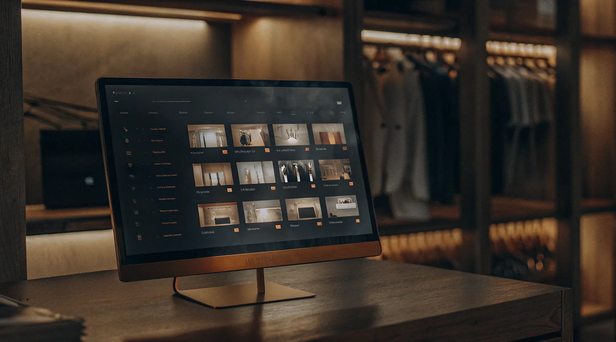
Book a DemoJuggling several Shopify stores often feels like you’re spending more time on repetitive tasks than on growing your business. The constant switching between accounts to update products, process orders, and answer customer inquiries is not just inefficient; it’s a drain on your most valuable resources: time and energy. This is where a unified approach changes everything. By consolidating your operations, you can automate tedious workflows and eliminate the risk of human error. When you manage multiple Shopify stores from one dashboard, you reclaim hours in your week, allowing you to focus on high-impact activities like marketing, strategy, and building your brand.
Key Takeaways
- Adopt a single dashboard for a complete business overview: Centralizing your stores gives you a unified view of your entire operation. This approach turns scattered data into clear insights, helping you make strategic decisions while saving time and preventing costly errors.
- Streamline operations to create a better customer journey: A unified system solves the most common multi-store problems like overselling, inconsistent product information, and disorganized fulfillment. By automating these processes, you ensure every customer has a smooth and reliable shopping experience.
- Prioritize core features when choosing a management tool: Look for non-negotiable capabilities in any platform you consider. Real-time data syncing, consolidated analytics, and the ability to perform bulk actions are essential for managing your stores efficiently and scaling your business effectively.
Why Manage All Your Shopify Stores from One Dashboard?
Juggling multiple Shopify stores can quickly feel like a chaotic circus act. You’re constantly switching between tabs, updating products in several places, and trying to piece together a complete picture of your business performance. It’s easy to feel like you’re spending more time on administrative tasks than on actually growing your brand. This is a common growing pain for successful ecommerce businesses, but it doesn't have to slow you down or create burnout for your team. The solution isn't to work harder, but to work smarter by consolidating your management process.
Bringing all your stores under one roof with a central dashboard isn’t just about convenience; it’s a strategic move that simplifies your workload and sets your business up for smarter growth. By centralizing your operations, you create a single source of truth that saves time, reduces errors, and gives you the clarity needed to make better decisions. Instead of managing separate entities, you start managing a single, cohesive business. This approach allows you to scale more effectively, maintain control as you expand into new markets, and ensure every customer has a consistent, high-quality experience with your brand, no matter which storefront they visit. It’s about creating a foundation for sustainable growth.
Streamline Your Operations
When your product information, inventory levels, and pricing are scattered across different stores, inconsistencies are bound to happen. A central dashboard eliminates this risk by creating one place to manage everything. Instead of manually updating a product description or price on each individual site, you can make the change once and have it sync everywhere automatically. This approach to multi-store management ensures your data is accurate across the board, from product details to inventory counts. It transforms your operations from a series of repetitive, manual tasks into a smooth, efficient workflow, giving you more time to focus on growing your business.
Get Clearer Data and Insights
How can you get a true sense of your overall business health when your data is siloed in different Shopify accounts? A unified dashboard pulls all your metrics together, giving you a bird's-eye view of your entire operation. You can compare sales performance across different regions, identify which products are bestsellers globally, and understand customer behavior on a deeper level. Having consolidated analytics and reporting allows you to spot trends you would have otherwise missed. This clarity is crucial for making informed decisions about marketing, inventory purchasing, and overall business strategy, turning raw data into actionable insights.
Create a Consistent Brand Experience
Your brand is one of your most valuable assets, and consistency is key to building customer trust. When a customer visits your US store and then later your Canadian store, they should have the same great experience. A central management system helps you maintain a cohesive brand identity across all your storefronts. You can easily standardize promotions, pricing, and messaging to ensure every customer interaction is consistent, no matter which site they land on. This control over your brand presentation helps build a reliable and professional image, which encourages customer loyalty and repeat purchases.
Save Time and Reduce Errors
Think about all the time you spend logging in and out of different stores to handle daily tasks. A unified dashboard can reclaim hours of your week. One source claims businesses can save over 10 hours weekly by centralizing their product updates. By performing bulk actions from a single location, you drastically cut down on administrative work and minimize the potential for human error. Whether you’re launching a new product line or running a site-wide sale, doing it from one place is faster and safer. This efficiency boost frees you and your team to concentrate on more impactful activities, like marketing and customer engagement.
What Are the Best Tools for Managing Multiple Shopify Stores?
Juggling multiple stores doesn't have to mean juggling multiple browser tabs and logins. The right tools can bring everything together, giving you a single source of truth for your entire operation. Depending on your biggest challenges, you might need a specialized tool for one task or a comprehensive platform that handles it all. Let's walk through some of the best options available.
Checkout Champ for All-in-One Management
If you're looking for a true command center for your e-commerce empire, an all-in-one platform is the way to go. Checkout Champ provides a centralized dashboard where you can oversee every one of your Shopify stores at a glance. This isn't just about viewing sales; it's about managing everything from products and fulfillment to marketing and customer service from one spot. Having a single platform for multi-store management streamlines your daily tasks and gives you a clear, unified view of your business performance, making it easier to make smart, data-driven decisions without switching between accounts.
Inventory Synchronization Platforms
One of the biggest headaches of running multiple stores is keeping inventory levels accurate everywhere. Selling an item on one store that's out of stock on another can lead to frustrated customers and canceled orders. Inventory synchronization platforms solve this by automatically updating stock counts across all your channels in real time. When an item sells on your US store, the tool instantly adjusts the inventory for your UK and Canadian stores. This automation prevents overselling, ensures your product availability is always correct, and helps you maintain a smooth fulfillment process.
Bulk Product Information Managers
Manually updating product descriptions, prices, or images across several stores is tedious and leaves room for error. A simple price change could take hours of repetitive work. Bulk product information managers (PIMs) consolidate all your product data in one place. When you need to make a change, you do it once, and the platform pushes the update to all connected storefronts automatically. This ensures consistency across your brand and saves you an incredible amount of time. Centralizing your product and SKU management means you can focus on strategy instead of monotonous data entry.
Native Shopify Plus Features
For businesses on Shopify's top-tier plan, there are some helpful built-in features. Shopify Plus allows you to have multiple expansion stores linked under a single organizational account. From one login, you can get an overview of key metrics from all your stores, manage staff permissions, and switch between back-end dashboards. While it doesn't offer the deep, unified operational control of a dedicated third-party platform, it’s a solid starting point for brands that are already part of the Shopify Plus ecosystem and want a basic level of centralized oversight without adding another tool to their stack.
How Centralized Management Solves Common Multi-Store Problems
Juggling multiple online stores can feel like you’re spinning plates. You’re constantly switching between tabs, trying to keep track of inventory, updating product listings, and managing orders from different channels. It’s not just inefficient; it’s a recipe for costly mistakes. A customer might buy an out-of-stock item, or you might accidentally list the same product with two different prices. These small errors can add up, hurting your sales and your brand’s reputation. When your data is siloed, you can't see the full picture of your business performance, making it difficult to make informed decisions.
This is where centralized management comes in. By bringing all your operations into a single dashboard, you can solve these common headaches for good. A unified platform gives you a bird's-eye view of your entire business, turning chaotic, separate workflows into one streamlined process. Instead of reacting to problems as they pop up, you can proactively manage your stores with confidence. With the right multi-store management system, you can stop wasting time on manual tasks and focus on what really matters: growing your business. It transforms your operations from a source of stress into a powerful engine for growth.
Prevent Stockouts with Automated Inventory Updates
One of the biggest challenges of running multiple stores is keeping your inventory levels accurate. It’s easy to oversell a popular item on one site, not realizing you’ve already run out of stock from sales on another. This leads to canceled orders and unhappy customers. A centralized system eliminates this guesswork by syncing your inventory in real time across all your storefronts.
When an item sells on one store, the stock count is automatically updated everywhere else. This single source of truth for your product and SKU management means you can say goodbye to manual stock counts and spreadsheets. You’ll prevent stockouts, reduce the risk of overselling, and give your customers a much more reliable shopping experience.
Simplify Order Processing and Fulfillment
When orders are coming in from different websites, your fulfillment process can get complicated fast. Trying to consolidate orders manually is time-consuming and leaves a lot of room for error, like shipping the wrong item or missing an order entirely. A unified dashboard brings all your orders into one clean, organized queue, no matter where the sale was made.
This consolidation makes everything simpler. Your team can view, process, and manage all orders from a single interface, creating a much more efficient workflow. With fulfillment automation, you can process orders faster, reduce shipping errors, and get products into your customers' hands more quickly. This streamlined approach not only saves you time but also improves customer satisfaction.
Unify Your Customer Support
Providing great customer service is tough when a customer’s history is scattered across different stores. Your support team might not see a customer’s previous purchase from another one of your sites, leaving them without the full context they need to help effectively. Centralized management solves this by creating a single, unified profile for each customer.
Your team gets a complete view of every customer's interaction and purchase history across all your brands. This allows them to provide personalized, informed support that makes customers feel valued. With a dedicated customer service management hub, you can ensure a consistent and high-quality experience, which is key to building long-term loyalty and a strong brand reputation.
Standardize Product and Pricing Information
Inconsistency is a brand killer. If a customer sees the same product with different descriptions, images, or prices on your various stores, it can create confusion and erode their trust. Manually updating product information across multiple sites is tedious and often leads to mistakes. A central management tool lets you control all your product listings from one place.
You can update a product’s price, description, or photos once, and the changes will automatically apply to every store where it’s listed. This ensures your branding and messaging are consistent everywhere. Standardizing this information not only saves you a massive amount of time but also helps with conversion and AOV optimization by presenting a clear and trustworthy front to your customers.
What to Look for in a Multi-Store Management Tool
Once you decide to centralize your operations, the next step is picking the right tool. Not all platforms are created equal, and the best one for you will depend on your specific needs. As you compare your options, look for these four essential features to make sure you're setting your business up for scalable success. A comprehensive platform like Checkout Champ integrates these capabilities, giving you a single source of truth for all your storefronts.
Real-Time, Two-Way Syncing
Imagine updating a product price in one store and having it instantly reflect across all your other storefronts. That’s the power of real-time, two-way syncing. This feature is non-negotiable because it eliminates the manual work and potential errors that come with separate systems. When your inventory, product information, and pricing are always in sync, you avoid overselling popular items and ensure customers see consistent information no matter which site they visit. A good multi-store management tool acts as a central hub, pushing and pulling data automatically so everything stays accurate without you lifting a finger.
Advanced Reporting and Analytics
Juggling spreadsheets from multiple stores to figure out your overall performance is a recipe for headaches and missed opportunities. Look for a tool with robust reporting and analytics that consolidates data into a single, easy-to-understand dashboard. This allows you to see the big picture, compare performance across different stores, and identify trends you might otherwise miss. The ability to generate custom reports helps you track the metrics that matter most to your business, so you can stop guessing and start making data-driven decisions. Powerful analytics and reporting are essential for understanding your business health and planning your next move.
Role-Based User Permissions
As your team grows, you need to control who can access and change what. A platform with role-based user permissions lets you assign specific responsibilities to different team members, giving them access only to the information they need to do their jobs. For example, you can allow your marketing team to update product descriptions without giving them access to sensitive sales data. This not only improves security but also streamlines workflows by creating clear lines of responsibility. It’s a simple feature that helps you maintain control and organization as you scale your operations.
Support for Bulk Operations
Your time is your most valuable asset, and manually updating products one by one across several stores just isn't a good use of it. A tool that supports bulk operations is a massive time-saver. This feature allows you to edit thousands of products, update pricing, or manage inventory across all your stores at once. Whether you’re launching a site-wide sale or adding a new product line, the ability to make changes in bulk turns a days-long project into a task that takes just a few minutes. Efficient product and SKU management is key to keeping your stores organized and up to date.
Related Articles
Frequently Asked Questions
At what point should I consider a multi-store management tool? You don't need to wait until you're overwhelmed to start thinking about centralization. If you're managing more than one store, or even just planning to launch a second one, a management tool can set you up for success. The real trigger is when you find yourself spending more time on repetitive tasks (like updating product info in multiple places) than on strategy. It's about preventing future headaches and building a scalable foundation from the start.
How does a tool like Checkout Champ differ from using Shopify Plus for multi-store management? Shopify Plus offers a great high-level overview, allowing you to switch between your stores from a single login and view basic analytics. However, a dedicated platform like Checkout Champ provides deeper operational control. It unifies the day-to-day management of products, inventory, fulfillment, and customer service into one cohesive dashboard, which is a level of integration beyond what Shopify Plus offers natively.
Will centralizing management limit my ability to customize each store for different regions? Not at all. A good multi-store platform is designed to handle regional differences with ease. While you can standardize core product information and branding, you still have the flexibility to set different pricing, run unique promotions, and tailor messaging for each specific market. The goal is to streamline the things that should be consistent, giving you more time to focus on localization that actually matters.
What is the most significant advantage of unifying my stores? The biggest advantage is clarity. When all your data flows into one place, you get a complete and accurate picture of your entire business for the first time. This unified view allows you to make smarter, faster decisions about everything from inventory purchasing to marketing spend. It transforms your data from a scattered collection of numbers into a powerful tool for strategic growth.
Is it complicated to migrate my existing stores to a centralized platform? The setup process is more straightforward than you might think. Most modern platforms are designed for easy integration with Shopify. The process typically involves connecting your existing stores to the central dashboard, which then syncs your product, order, and customer data automatically. While there's an initial setup, it's a one-time effort that quickly pays for itself in saved time and reduced errors.