


Payment Gateway Failover Guide for Ecommerce

Level Up Today!
Book a DemoA gateway outage can turn ready buyers into failed orders within seconds. For ecommerce brands, relying on one payment route makes every checkout a single point of failure.
Ready to reduce checkout risk before the next gateway incident? Explore Checkout Champ pricing and platform options.
Payment gateway failover is an automated safeguard that redirects transactions to a healthy backup gateway when the primary route becomes unavailable or degraded. Rather than leaving shoppers with errors, it monitors gateway health, detects downtime, applies preset routing rules, and keeps valid payments moving without manual intervention. The switch protects revenue by reducing checkout errors during outages, network failures, and processor incidents that would otherwise stop willing buyers from completing orders. That makes failover different from broader smart payment routing, which continuously optimizes transactions based on cost, location, approval rates, and other factors. A 2025 survey found that 92% of enterprise ecommerce businesses experienced payment outages or disruptions within the prior two years.
Before you can design reliable backup routes, you need a clear answer to the core question: What is payment gateway failover? The path begins with the system's purpose, triggers, and role during a gateway outage in a live ecommerce checkout.
What is payment gateway failover?
Payment gateway failover is an automated backup process that redirects payment requests when a merchant's primary gateway becomes unavailable or unstable. Instead of leaving shoppers at a dead end, the system sends eligible transactions to a preconfigured secondary gateway. The goal is continuity during a technical incident, not better performance during normal gateway operation.
The primary and backup gateway model
A basic failover setup uses one primary gateway for normal payment traffic and keeps a second gateway ready as a backup. The merchant defines which gateway takes priority and which events should trigger the switch. This active-passive model creates another path when the main connection cannot process payments.
In practical terms, the primary gateway is the usual checkout lane, while the backup is a lane that opens during disruption. Gateway failover systems detect an outage or downtime and route transactions to a backup gateway. The change can happen without asking the shopper to restart checkout.
- The primary gateway handles payment requests under normal conditions.
- Health checks or error signals show when the primary route has failed.
- A backup gateway receives eligible requests until the primary route recovers.
Failover does not mean that every declined payment should be retried through another provider. A valid decline can reflect a card or account issue, not gateway downtime. Rules must separate technical errors from valid issuer responses to reduce duplicate charges and poor shopper experiences.
How the failover event works
The process starts when monitoring detects a gateway outage, timeout, or service error. The failover rule then moves new eligible payment requests to the backup connection. After the primary gateway recovers, the merchant can return traffic based on its chosen recovery rules.
This setup helps remove a single point of failure from checkout. Technical infrastructure and usability can affect whether shoppers finish a purchase, according to research on shopping cart abandonment. Still, failover depends on sound setup, live backup credentials, and regular tests.
Failover versus smart payment routing
Failover is a narrow response to a gateway disruption. It follows a clear order: use the primary gateway, then switch to the backup when a set failure condition occurs. The decision focuses on service availability at that moment.
By contrast, routing logic selects among payment routes based on broader rules and real-time signals. Those rules may consider factors beyond gateway health. Failover can be one part of that larger routing strategy, but the two terms are not interchangeable.
A merchant may need simple failover when the main goal is keeping a dependable backup path. A more complex operation may use broad routing logic for day-to-day payment choices, with failover reserved for outages. In both cases, the backup route must be configured and tested before an incident occurs.
Why single-gateway risk costs ecommerce brands revenue
A single gateway turns one vendor issue into a checkout-wide revenue problem. If that connection goes down, every otherwise valid order routed through it can fail. The risk also appears when a gateway stays online but responds slowly or returns more declines than usual.
One connection, several failure modes
Payment failures are not limited to a total outage. Network errors, slow responses, API faults, and processor issues can all stop an order. Research also links technical infrastructure and usability with shopping cart abandonment, so a poor payment experience can push ready buyers away.
Regional conditions add another layer of risk. A gateway may work well for domestic cards but struggle with certain markets, currencies, or issuing banks. If it is the only route, the operator cannot shift affected payments elsewhere while the issue is checked.
Lost sales beyond the first checkout
A false decline looks like a normal rejection even when the shopper has funds and intends to buy. With one gateway, there is no second route to test whether another provider can approve the payment. The brand loses the order, while the shopper may blame the store instead of the processor.
Subscription brands face the same exposure after checkout. A gateway problem during scheduled rebills can interrupt recurring revenue and start avoidable recovery work. Repeated failures may also create support tickets, churn risk, and gaps in cash flow.
- A DTC brand launches a promotion, but its only gateway begins timing out. Paid traffic still arrives, yet buyers cannot finish payment.
- A subscription merchant runs monthly rebills while its gateway has a regional issue. Valid renewals fail until the team retries them later.
Why a backup route matters
Payment gateway failover reduces this single point of failure by sending eligible transactions to a healthy backup during an outage. It is narrower than payment routing strategy, which can choose routes based on broader payment factors. Failover focuses on keeping transactions moving when the main route fails.
The backup must be configured, monitored, and tested before an incident. Operators should define which errors trigger a switch and which declines should not be retried. They should also confirm that regional rules, stored payment details, and subscription rebills work across the planned routes.
This planning matters most when payment volume grows. For example, the Reserve Bank of India requires payment aggregators to run disaster recovery drills at least twice yearly with set recovery targets. That regulatory approach to payment resilience shows why recovery plans need testing, not just documentation.
How payment gateway failover works in practice
Payment gateway failover starts when a shopper submits an order. The system sends the payment to the primary gateway, watches the response, and decides whether another route is needed. The aim is simple: keep a gateway incident from becoming a lost order.
The transaction and health-check flow
A failover system does not reroute every decline. It first separates a likely gateway problem from a valid payment result, such as an expired card. That distinction protects shoppers from needless retries and helps merchants avoid duplicate charges.
- Accept the transaction attempt. The checkout securely sends the payment request to its assigned primary gateway. It also creates a unique transaction reference, which helps all later attempts map to the same order.
- Check the gateway response. The system reviews response time, error codes, timeouts, and recent gateway health. A clear approval or valid hard decline ends the routing flow, while signs of downtime trigger further checks.
- Evaluate failover rules. Rules confirm whether the payment type, region, currency, and backup gateway qualify for rerouting. They may also set retry limits or exclude a gateway that cannot support the transaction.
- Retry or reroute safely. A brief retry may resolve a short network fault. If the primary gateway remains unavailable, the system sends the request to a healthy backup and keeps the same order reference.
- Complete the customer journey. The shopper sees one clear result rather than a technical error or repeated payment prompts. Reliable technical infrastructure also matters because usability issues can shape shopping cart abandonment.
- Record and review the incident. The system logs each response, route, and outcome. Operators can then measure lost approvals, find weak gateways, review duplicate-charge risk, and decide when to restore normal routing.
Rules that protect revenue and customers
Good rules make payment gateway failover selective. A timeout or gateway-level error may justify a backup route. A hard decline usually should not, since another attempt can add cost without fixing the customer's payment issue.
Failover is also narrower than gateway selection logic. Smart routing may choose a provider before the first attempt based on cost or likely approval. Failover responds to an outage or service fault after a route has already been chosen.
Post-incident monitoring
After traffic moves, operators should watch approval rates, gateway response times, error codes, refunds, and duplicate attempts. Compare each metric with its normal range. A backup gateway can be online but still perform poorly for a certain currency or card type.
Teams should also test the route before switching traffic back. Review logs with gateway partners, update rules, and run scheduled failover drills. This makes payment orchestration an operational control, not just a checkout feature.
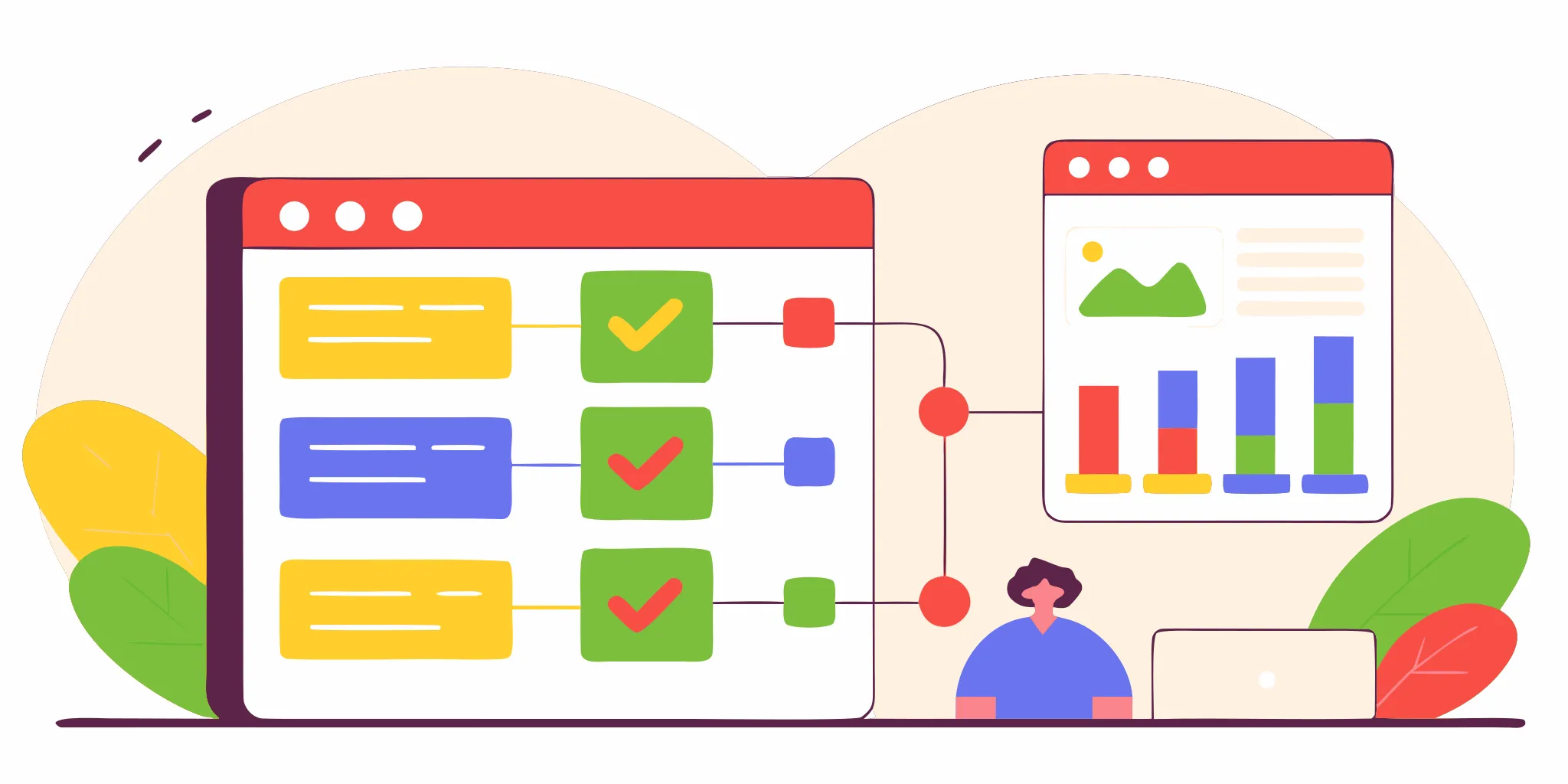
Payment failover vs routing vs orchestration
Payment gateway failover, smart routing, and orchestration solve related problems, but they work at different levels. Failover is the recovery safety net. Routing picks a suitable path during normal operations, while orchestration manages the wider payment provider stack.
This distinction matters because technical usability can shape whether shoppers complete a purchase. Research on shopping cart abandonment identifies technical infrastructure and usability as key factors. A sound payment plan must support both routine optimization and outage recovery.
Three roles in one payment strategy
| Comparison point | Gateway failover | Smart payment routing | Payment orchestration |
|---|---|---|---|
| Primary job | Recover from gateway downtime. | Choose a suitable path for each payment. | Manage the broader payment stack. |
| When it acts | After an outage or health issue is detected. | During normal transaction processing. | Across setup, processing, and operations. |
| Decision scope | Primary gateway or backup gateway. | Provider, gateway, or route. | Providers, rules, data, and workflows. |
| Main goal | Keep valid payments moving. | Improve the normal payment path. | Coordinate and simplify payment operations. |
| Typical controls | Health checks, triggers, and backup rules. | Cost, geography, currency, and performance rules. | Provider connections, routing, reporting, and compliance tools. |
Think of failover as a focused response to a service problem. It detects that the primary route is unavailable or unhealthy. It then sends eligible transactions to a set backup. This function should use clear triggers, tested recovery rules, and limits that prevent unsafe retries.
By contrast, checkout routing controls makes a choice before a gateway outage forces one. Its rules may weigh location, currency, cost, or recent gateway results. Those choices seek a better normal path, not just an emergency exit.
The orchestration layer
Orchestration sits above individual routing and failover decisions. It connects providers and gives teams one place to set rules, view results, and manage payment workflows. A mature orchestration setup may include both routing logic and failover controls, but the terms are not interchangeable.
This broader scope makes payment orchestration useful when a business has many gateways, markets, or payment methods. It can reduce the work needed to manage separate provider links. Failover remains the specific safety net used when an active route stops working.
How the layers work together
A resilient payment setup can use all three layers. Orchestration manages the provider network and shared controls. Smart routing directs each routine payment based on set rules. Payment gateway failover takes over when the selected path has a service issue.
That order keeps the design clear. Teams can measure routing results without confusing them with outage recovery. They can also test failover as its own control, with defined triggers, backup priorities, retry limits, and alerts. The result is a payment stack built for both daily performance and service disruption.
A practical failover checklist for ecommerce operators
Map gateways to markets and payment needs
Start payment gateway failover planning with the commercial rules, not the technical switch. List every market, currency, payment method, card network, and legal entity your stores use. Then confirm that both the primary and backup gateways can serve each combination.
Maintain direct relationships with more than one gateway whenever volume and risk justify the added work. Compare contract terms, settlement timing, reserves, dispute handling, and support coverage. Checkout Champ supports multiple gateway options plus dynamic currency conversion, which can help operators build routes around geographic and currency needs.
- Assign a primary and at least one approved backup for each market, currency, and payment method.
- Document credentials, limits, maintenance windows, settlement accounts, and escalation contacts for every gateway.
- Decide which error codes should trigger failover, a customer retry, or a hard decline.
- Separate outage recovery from transaction routing rules rules that optimize normal transactions.
Define safe transaction rules
Write explicit rules before routing live traffic. Set health thresholds for timeouts, API errors, and gateway downtime. Add cooldown periods so traffic does not bounce between unstable providers. Also define when operators can pause, exclude, or restore a route.
Protect against duplicate charges during uncertain responses. Use idempotency controls, unique transaction references, and a status check before sending a second request. Technical infrastructure and usability can affect cart abandonment, according to research indexed by the National Library of Medicine. A safe retry flow should keep the checkout clear without creating billing risk.
Treat subscriptions as a separate workstream. Confirm how the backup handles stored payment tokens, recurring schedules, retries, dunning, refunds, and chargebacks. If tokens cannot move between providers, document the limits and the recovery path before an outage occurs.
- Apply the same fraud checks, velocity limits, and manual-review rules across every route.
- Test whether fraud tools receive consistent device, customer, and order data after failover.
- Confirm that discounts, upsells, taxes, and order totals remain unchanged on the backup route.
- Review how routing choices affect checkout conversion and average order value without weakening risk controls.
Monitor, test, and reconcile every route
Build one view of gateway health, authorization results, latency, errors, and failover events. Alerts should show the affected market and route, not just a broad failure message. A payment orchestration layer can centralize provider data, but operators still need clear ownership for each alert.
Reconcile orders, gateway records, settlements, fees, refunds, and chargebacks after each failover event. Flag missing records, duplicates, and mismatched amounts for prompt review. Keep an audit trail that shows why a transaction changed routes and which rules fired.
Run scheduled tests in a safe environment and controlled live windows. Simulate timeouts, partial outages, slow responses, token failures, fraud-tool errors, and gateway recovery. Check customer messages, order creation, inventory updates, analytics tags, and post-purchase flows during each test.
Track success by route, market, currency, decline type, and subscription status. Compare authorization rates, checkout completion, recovery time, and duplicate-payment incidents. Review the rules after provider changes, major campaigns, new markets, or shifts in transaction mix.
How to test and measure payment failover
Payment gateway failover should be tested before a major sale, product launch, or seasonal traffic spike. The goal is not just proving that traffic moves. Teams must confirm that the backup route accepts valid payments, handles declines correctly, and leaves clean records for finance.
Test each payment path
Start in a sandbox by making the primary gateway unavailable, then send test transactions through the full checkout flow. Confirm that payment gateway failover starts only for the errors defined in your rules. A hard decline, such as an invalid card, should not trigger repeated attempts across gateways.
Next, run small live transactions with approved test cards or real cards under team control. Test purchases, refunds, voids, and partial refunds on each route. Also check the customer receipt, order status, fraud review, and fulfillment handoff. Technical reliability matters because checkout usability can affect cart abandonment, as this peer-reviewed study on shopping cart abandonment explains.
Subscription teams need a separate rebill test. Create controlled subscriptions that renew through both the primary and backup gateways. Verify tokens, billing dates, retry limits, customer notices, and cancellation rules. The backup route should recover eligible payments without charging a customer twice.
Track gateway health and conversion signals
Monitor gateway health by provider, payment method, currency, region, and time window. Alert on rising latency, timeouts, connection errors, and sudden changes in authorization rate. Compare results against a normal baseline so small failures do not hide inside the blended account average.
- Authorization rate for the primary and backup gateways.
- Failover trigger rate and successful recovery rate.
- Decline codes grouped into hard declines, soft declines, and technical errors.
- Retry volume, duplicate-payment rate, and average response time.
- Checkout completion rate before, during, and after a failover event.
Review these signals alongside broader resilient payment routing rules. Routing may select a provider based on cost or expected approval. Failover has a narrower job: recover from a gateway outage or a clear technical fault.
Reconcile results and review incidents
A successful authorization is not the end of the test. Match gateway records against orders, settlements, refunds, fees, and accounting entries. Reconciliation should expose missing orders, duplicate charges, delayed captures, or funds settled through an unexpected merchant account.
After each planned test or real incident, hold a short review with payments, engineering, support, and finance. Record the trigger, affected routes, customer impact, recovery time, and manual work required. Then update thresholds, retry logic, dashboards, and runbooks before the next traffic spike.
Repeat the test plan after gateway changes, checkout releases, or subscription billing updates. A failover setup is reliable only when teams can prove that it protects completed orders without creating new payment or reporting errors.
Where Checkout Champ fits in a resilient checkout stack
Payment gateway failover is one part of a resilient checkout stack, not the whole stack. Checkout Champ serves as the performance ecommerce platform around that payment layer. It helps growth-stage and high-volume brands connect checkout continuity with the wider work of running and improving ecommerce.
The platform layer around gateway choice
A backup gateway matters only when the rest of checkout can keep pace. Pages must load fast, payment data must reach the right provider, and the order must continue through later workflows. This makes failover readiness a platform concern as well as a payments concern.
Checkout Champ supports 180+ payment gateways, giving merchants a broad base for planning provider coverage. That range does not mean every gateway pair will work for every market or payment method. Teams still need to confirm contracts, tokens, currencies, decline rules, and routing logic before relying on a backup path.
Continuity across the full order flow
Failover handles a specific event: a primary gateway becomes unavailable, so an eligible transaction needs another route. It is narrower than smart payment routing, which can weigh several factors during normal operations. Keeping that distinction clear helps teams set sound rules and test the right failure cases.
The payment result also affects more than the first purchase. Subscription billing needs a clear plan for retries and stored payment details. Multi-store operations may need different providers by region, while dynamic currency conversion adds another factor to gateway coverage. Automation must then pass successful orders to fulfillment, marketing, and customer service without duplicate actions.
- Map primary and backup gateways by store, currency, payment method, and subscription use case.
- Check that a successful backup transaction creates one accurate order and starts the right automation.
- Test what shoppers see when both the primary and backup routes fail.
- Review provider rules before sending a failed payment through another gateway.
Performance data and measured improvement
Analytics should show more than whether a backup route fired. Operators need to track approval results, error types, checkout speed, duplicate risk, and the final order state. Research on cart abandonment also links technical infrastructure and usability with whether shoppers complete a purchase.
That broader view connects resilience work to conversion and average order value. A fast checkout still needs stable payment paths, and a recovered payment still needs a clean post-purchase flow. Checkout Champ can centralize these operating signals, but each merchant must set thresholds and review outcomes for its own gateways and markets.
Teams should treat payment gateway failover as a tested operating plan rather than a switch they assume will work. Run controlled failure tests, compare route performance, and check downstream records after each test. Use the findings to refine checkout rules without assuming that one provider mix or setup will suit every store.
Frequently Asked Questions
How does payment gateway failover work?
Payment gateway failover monitors the health and responses of a primary gateway. When it detects an outage or defined technical error, it sends the transaction to a healthy backup gateway. The Recurly documentation describes this as automatic routing during primary gateway downtime. Unlike smart routing, failover responds specifically to a disrupted payment path.
Why do businesses need payment gateway failover?
A business needs payment gateway failover to reduce its reliance on one processor and keep checkout available during disruptions. Stripe reports that 92% of enterprise ecommerce businesses surveyed experienced payment outages or disruptions within two years. Failover can limit lost sales and protect customer experience, but merchants must still monitor results and reconcile transactions.
What are the benefits of using multiple payment gateways?
Multiple payment gateways provide backup capacity when one provider, network path, or regional service becomes unavailable. They can also support different currencies, markets, payment methods, and risk requirements. However, adding gateways creates operational work around contracts, reporting, refunds, fraud controls, and reconciliation. A clear routing policy and regular testing are necessary to turn extra connections into reliable redundancy.
How long does it take for a payment failover to happen?
Payment failover speed depends on health checks, timeout settings, routing rules, and the backup gateway's response time. Modern systems can switch in milliseconds, according to Orchestra Solutions. Merchants should test actual response times under load because slow detection can still interrupt checkout. Settings must balance quick rerouting against the risk of sending a duplicate transaction.
What causes a payment gateway failure?
A payment gateway failure can result from provider downtime, network issues, API errors, expired credentials, configuration changes, or upstream processor problems. Failover rules should distinguish technical failures from valid hard declines, such as a blocked or invalid card. Routing every decline to another gateway can create duplicate attempts and added costs. Teams should review error codes and test failure scenarios regularly.
Ready to Strengthen Your Payment Failover Plan?
Gateway outages can turn ready buyers into failed payments, frustrated customers, and avoidable revenue risk during your busiest sales periods. Delaying a failover plan leaves your team reacting under pressure instead of following a tested process when a provider goes down. Starting now gives you time to map dependencies, define backup routes, and test recovery steps before the next high-volume campaign.
Ready to reduce payment disruption risk? Request a closer look at your current approach, then explore Checkout Champ pricing and platform options to evaluate the right next step for your ecommerce operation. Taking action this quarter can help your team enter the next growth period with clearer roles, stronger tests, and fewer rushed decisions.